
Create YouTube shortcuts.Open them in one tap.
Pin your favorite YouTube videos, Shorts, playlists, channels and exact moments directly to your phone home screen. No searching, no scrolling — just tap and watch.
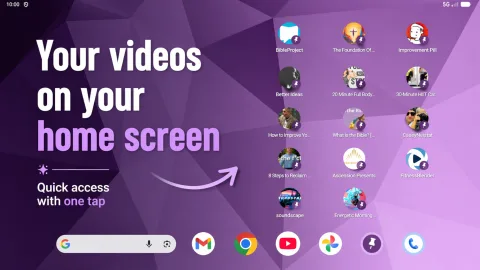
Create a YouTube shortcut in seconds
How PinYou works
Create shortcuts to your favorite YouTube videos and open them directly from your phone’s home screen with one tap.
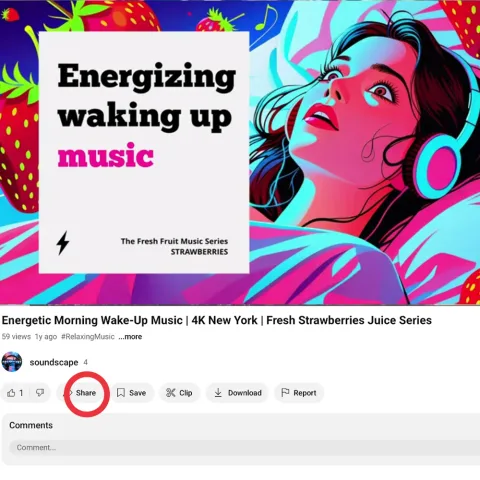
1. Tap Share on YouTube
Open a video and tap Share.
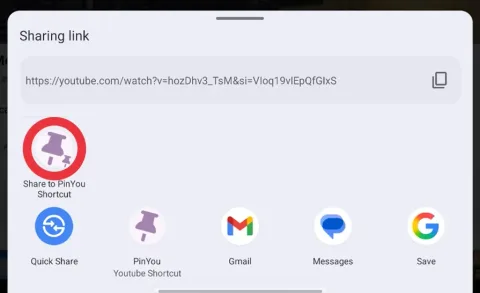
2. Choose PinYou
Select PinYou from the share menu.
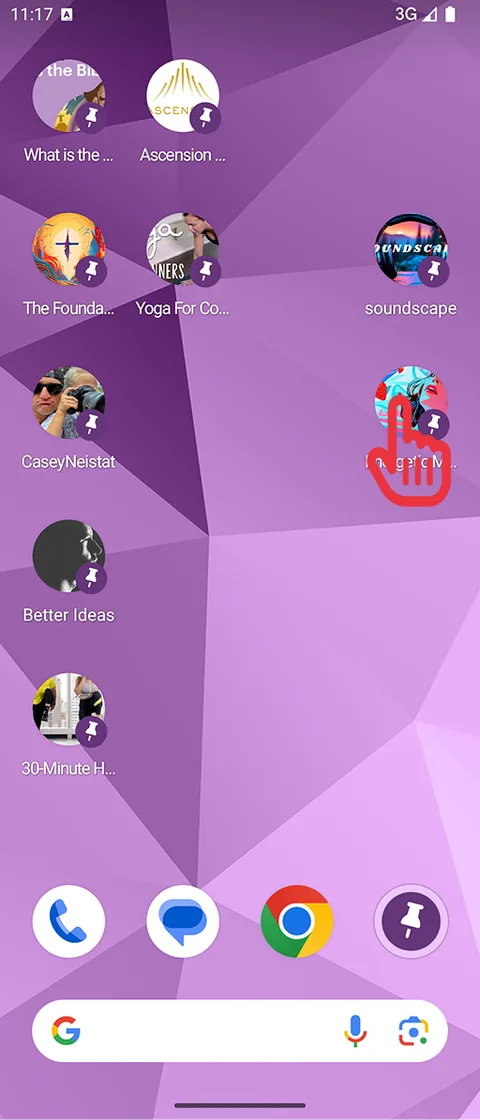
3. Tap your shortcut
Find your new shortcut on the home screen.
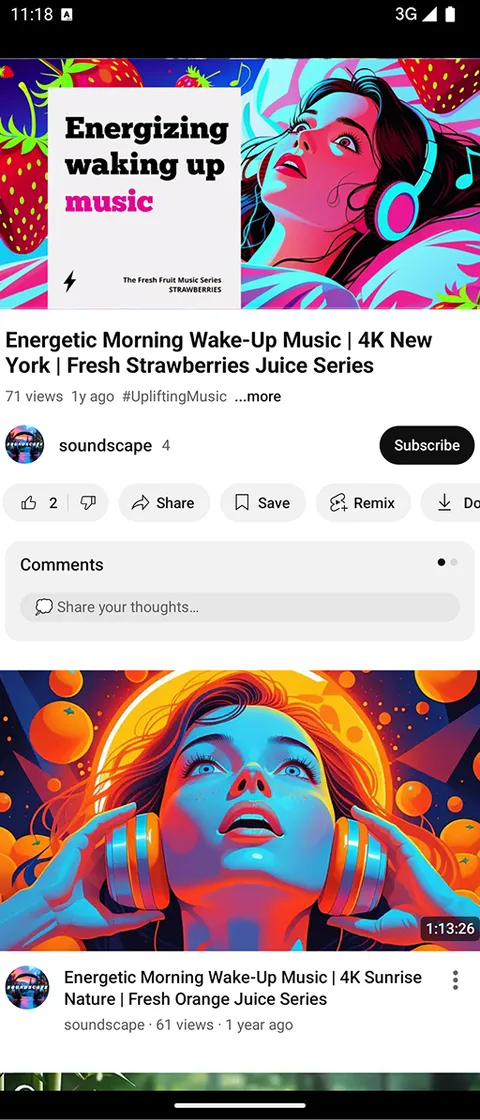
4. Watch with one tap
Open your video instantly in YouTube.
Your favorite YouTube content, always one tap away
Fast YouTube shortcuts for your phone home screen
PinYou lets you create clean, beautiful shortcuts to YouTube videos, Shorts, playlists, channels and exact moments, so you can open what you love instantly.